
'%3e%3cpath%20d='M248.027%20159.993C292.176%20159.993%20328.105%20124.1%20328.105%2079.996C328.105%2035.892%20292.191%200%20248.027%200C203.863%200%20167.95%2035.892%20167.95%2079.996C167.949%20124.101%20203.878%20159.993%20248.027%20159.993ZM213.969%2045.973C223.069%2036.882%20235.155%2031.873%20248.027%2031.873C260.899%2031.873%20272.986%2036.882%20282.086%2045.973C291.186%2055.064%20296.2%2067.154%20296.2%2079.997C296.2%2092.84%20291.186%20104.93%20282.086%20114.021C272.986%20123.112%20260.899%20128.12%20248.027%20128.12C235.155%20128.12%20223.069%20123.111%20213.969%20114.021C204.869%20104.93%20199.871%2092.84%20199.871%2079.997C199.871%2067.154%20204.884%2055.063%20213.969%2045.973Z'%20fill='%23EE4323'/%3e%3cpath%20d='M150.16%200L57.6821%20159.993H94.5381L187%200H150.16Z'%20fill='%23EE4323'/%3e%3cpath%20d='M92.478%200L0%20159.993H36.856L129.334%200H92.478Z'%20fill='%23EE4323'/%3e%3c/g%3e%3cdefs%3e%3cclipPath%20id='clip0_296_834'%3e%3crect%20width='328.105'%20height='159.993'%20fill='white'/%3e%3c/clipPath%3e%3c/defs%3e%3c/svg%3e)


Consent phishing: how to detect and block it
Consent phishing tricks users into granting malicious apps access to their data through legitimate OAuth consent flows. Learn how to detect and block consent phishing attacks.

Consent phishing tricks users into making malicious OAuth consent grants instead of stealing credentials
Consent phishing is a form of authorization phishing that tricks users into granting a malicious third-party application access to their account through a legitimate OAuth consent prompt. Instead of stealing credentials at the login page, the attacker creates a malicious app, sends the victim a link that triggers a consent flow, and the user authorizes the app on the real identity provider — granting it API-level access to email, files, calendar, and other data. Because the consent happens on a legitimate platform page and the user authenticates normally, MFA and passkeys are irrelevant — the attack targets the authorization layer, not authentication.
The access granted through consent phishing is persistent. OAuth tokens survive password resets, MFA changes, and even employee offboarding unless the specific grant is explicitly revoked. A single successful consent phishing attack gives the attacker a standing connection to the victim's account that can remain active indefinitely.
Consent phishing is one of three techniques in the broader authorization phishing category, alongside device code phishing and ConsentFix. All three target what happens after authentication rather than the login itself, and all three bypass every form of MFA including passkeys.
How consent phishing works
Consent phishing exploits a standard OAuth mechanism — the consent grant — that exists on every major cloud and identity platform. Instead of visiting a fake login page or enter credentials on an attacker-controlled domain. They authorize a malicious application through the same consent flow they'd use for any legitimate third-party app.
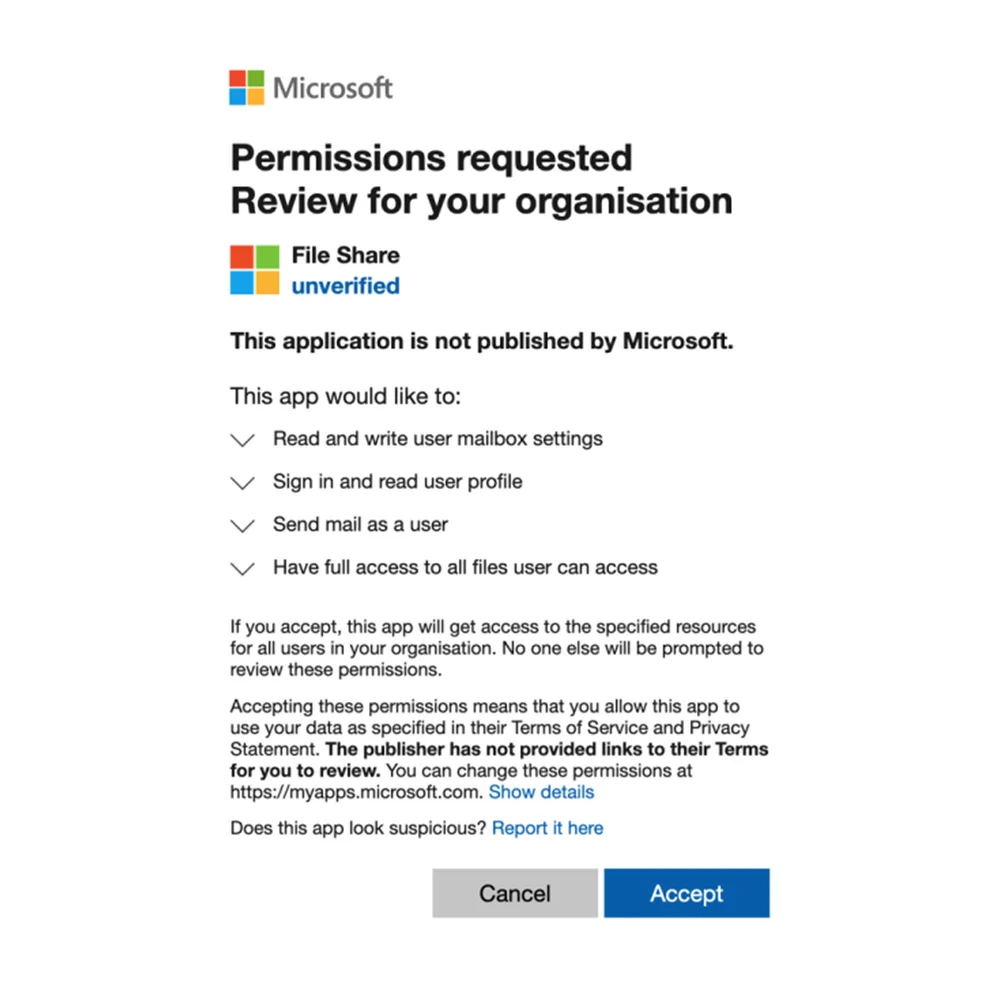
The attack usually involves impersonating a legitimate application, where only users that scrutinize the fine print of the consent prompt might notice anything suspicious.
- The attacker registers a malicious application with an identity provider (Microsoft Entra, Google, GitHub, or others)
- The victim receives a link — via email, a GitHub issue, a Teams message, or another platform — that triggers an OAuth consent prompt
- The consent prompt appears on the real identity provider's domain, requesting permissions such as access to email, files, or profile data
- The user reviews the consent prompt and clicks "Accept," granting the malicious app the requested permissions
- The app uses the granted OAuth tokens to access the victim's data via API — reading email, exfiltrating files, or establishing persistence for follow-on attacks
Why most security tools miss consent phishing
Consent phishing doesn't produce the indicators that security tools are built to catch. There's no credential field for the user to type a password into, no malicious file download, no exploit, and no fake login page. The consent prompt is a native platform UI element rendered on a legitimate identity provider domain. Security tools that look for credential harvesting, malicious payloads, or suspicious URLs have nothing to flag.
Consent phishing has historically been delivered through email, but delivery has expanded to exploit in-app notification systems that bypass email security entirely. Teams messages, Slack DMs, and other in-app channels work the same way: the platform itself is the delivery mechanism, and the notifications look identical to legitimate ones because they are legitimate — the only thing that's malicious is the app requesting the permissions.
Endpoint tools like EDR just see a standard browser session interacting with trusted domains throughout. There's no suspicious process, no file write, no behavioral anomaly at the endpoint layer. The entire attack chain is indistinguishable from a user authorizing a normal third-party app.
Once a malicious consent grant is established, detecting it after the fact is difficult. The access looks like normal API activity from an authorized application. SaaS security tools can audit existing grants, but they require per-app API connections and don't capture the consent event in real time — they can tell you an integration exists, not prevent it from being created.
What platforms are vulnerable to consent phishing?
IdP-level controls on the major platforms have substantially reduced the attack surface for traditional consent phishing. Microsoft now blocks unverified third-party app consent by default — users can't authorize an app unless an admin has approved it or the publisher has been verified. Google restricts OAuth app access similarly, and GitHub requires organization-owner approval for new OAuth integrations. These defaults mean that on a properly configured Microsoft or Google tenant, the classic consent phishing flow — attacker registers a malicious app, sends a consent link, user clicks "Accept" — is largely shut down.
That said, the broader SaaS estate includes dozens of identity platforms and authorization servers where admin consent controls may not exist or may not be enabled.
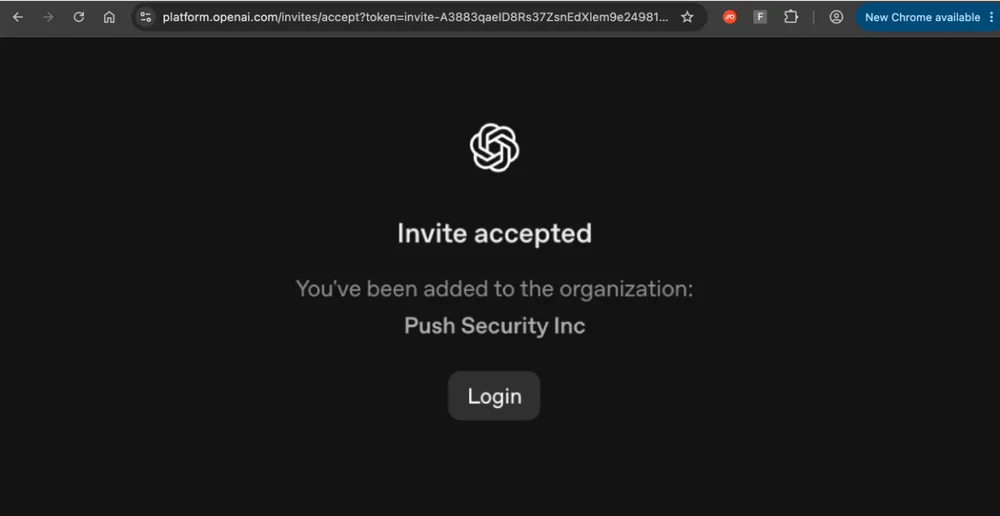
And attackers have found workarounds by abusing legitimate apps rather than creating their own malicious one. The poisoned tenant technique bypasses consent restrictions by creating a fake organization workspace on a legitimate SaaS platform and inviting targets to join, rather than requesting consent for a third-party app.
How Push detects and blocks consent phishing
Push monitors OAuth consent flows across 20+ major authorization servers, capturing the client ID, authorization server, scopes requested, and outcome for every consent event.
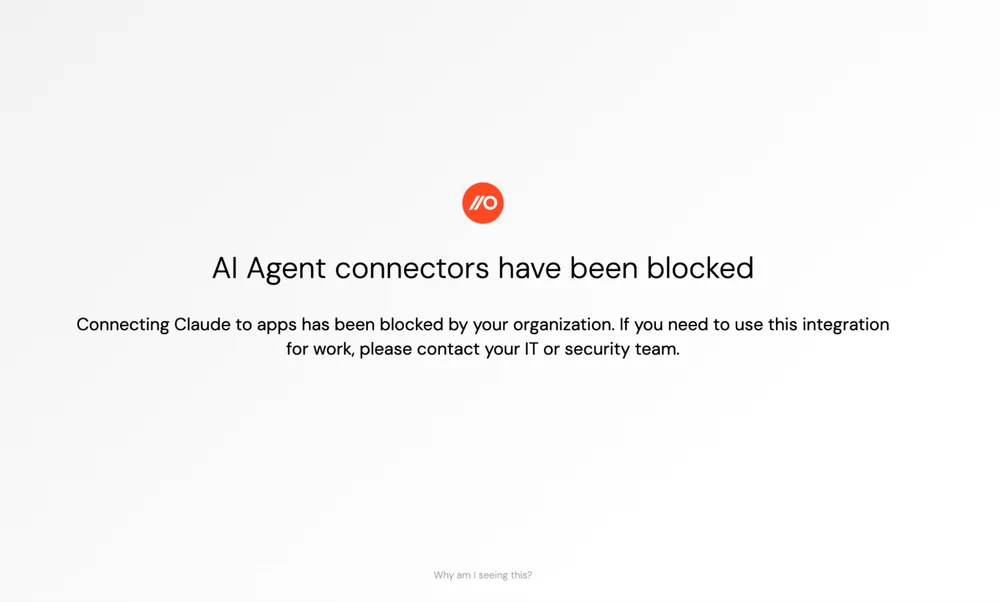
For unknown or unapproved applications, Push surfaces an in-browser warning before the consent is completed, giving the user context about the risk before they authorize. In block mode, Push prevents the consent grant entirely — the malicious app never receives tokens. This is app-agnostic consent blocking: the same control applies regardless of which authorization server the consent flow targets, which makes it the browser-native equivalent of application allowlisting for third-party integrations.
Push also provides OAuth app management — visibility into existing integrations including permissions, user count, and metadata, with the ability to delete unwanted integrations directly. This addresses the other half of the consent phishing problem: identifying and revoking grants that were established before controls were in place, or that slipped through on platforms outside your primary governance scope. Combined with Push's shadow SaaS discovery, security teams get a complete picture of what applications have been authorized and by whom.
Frequently asked questions
Consent phishing is a social engineering attack that tricks users into granting a malicious third-party application access to their account through a legitimate OAuth consent flow. The attacker registers a malicious app, delivers a consent prompt link to the victim, and the victim authorizes the app on the real identity provider's page. The app then uses the granted OAuth tokens to access the victim's email, files, calendar, and other data via API. Consent phishing is a form of authorization phishing — it targets the authorization layer rather than authentication, which means all forms of MFA including passkeys are bypassed because the user authenticates normally.
Credential phishing targets passwords, but consent phishing doesn't touch the login at all — the user is authorizing the attacker's app to access their account, with the level of access determined by scopes. This token-level API access survives password resets, MFA changes, and credential rotation. Consent phishing simply involves clicking "accept" on a consent authorization screen.
Both are authorization phishing techniques that target OAuth flows after the user has authenticated. Consent phishing uses the authorization code grant — the attacker creates a malicious third-party app and the user authorizes it via a consent prompt. Device code phishing uses the device authorization grant (RFC 8628) — the attacker generates a code and the user enters it on the identity provider's device code page, authorizing an attacker-controlled instance of a legitimate app on their account. The key practical difference: consent phishing requires the attacker to register a third-party app that survives publisher verification, while device code phishing abuses first-party apps that are already consented in the tenant (like Azure CLI or Microsoft Office), bypassing the consent restrictions that have reduced traditional consent phishing volume.
No. Consent phishing targets the authorization layer, which operates after authentication has succeeded. The user authenticates normally on the real identity provider — entering their password, completing MFA, or using a passkey — and the attack exploits the consent decision that follows. Passkeys are the strongest defense against authentication phishing (AiTM, credential theft), but they don't address consent phishing because the authentication isn't what's under attack.
The malicious app receives OAuth tokens that provide API-level access to whatever data the user consented to — typically email, files, calendar, and profile information. The attacker can read and exfiltrate data, send messages on behalf of the user, or establish persistence for follow-on attacks. OAuth tokens are independent of the user's password, so changing the password doesn't revoke access. The specific OAuth grant must be explicitly revoked, either through the identity provider's admin console or through a tool that provides direct OAuth app management. If the app was granted broad scopes, the blast radius can extend beyond the individual user to shared drives, shared calendars, and collaborative resources the user has access to.
Enterprise cloud platforms like Microsoft 365 and Google Workspace have configurable controls for third-party apps, and even prevent apps from being user consented without admin approval by default. These controls don't exist for all SaaS and cloud apps however, and even if they do, you'd need to be administering every app centrally and have configured them appropriately.
Push's OAuth consent monitoring and blocking covers 20+ authorization servers — in warn mode, it surfaces an in-browser warning for unrecognized applications; in block mode, it prevents the consent grant entirely. This extends consent governance beyond the platforms where admin consent controls exist to the full range of authorization servers employees encounter.
No single tool covers the full consent phishing attack surface. IdP admin consent controls protect your primary platforms but don't extend to the broader SaaS estate. SSPM tools audit existing grants retrospectively but can't prevent consent in real time. Email security may catch email-delivered lures but misses in-app delivery via GitHub issues, Teams messages, and other platforms.
Browser-level consent monitoring sits at the point where every OAuth consent flow executes — regardless of delivery channel, identity platform, or device management status — making it the only control that can cover the full authorization surface for managed and unmanaged apps. Push provides this across 20+ authorization servers, with configurable warn or block responses per application.
Latest resources


